Setting a Server Password
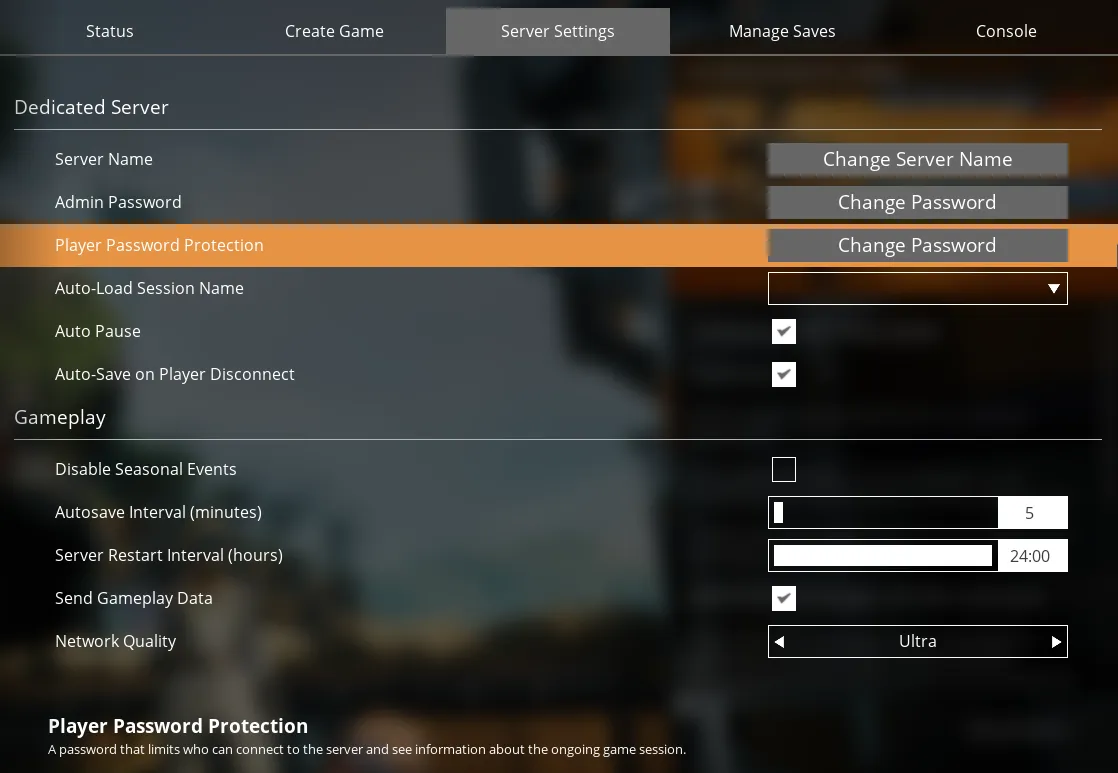
You can use the Server Manager to enable "Player Password Protection", which is "A password that limits who can connect to the server and see information about the ongoing game session.". This can be useful for private servers or generally protecting your server from nefarious entities known and unknown.
You can find the "Player Password Protection" setting under the "Server Settings" tab in the Server Manager. It's the 3rd option from the top under the "Dedicated Server" header. When you click the "Change Password" button next to the option you'll get a modal asking you to enter and confirm the password you want to set.
As mentioned in the modal, you can leave both fields empty if you want to disable the password.
 Loading...
 Loading...