Creating a MySQL Database
We provide MySQL databases with our Game Servers that are managed through our Game Panel. You can follow the steps below to create a MySQL database.
- To create a database, head into the panel and under
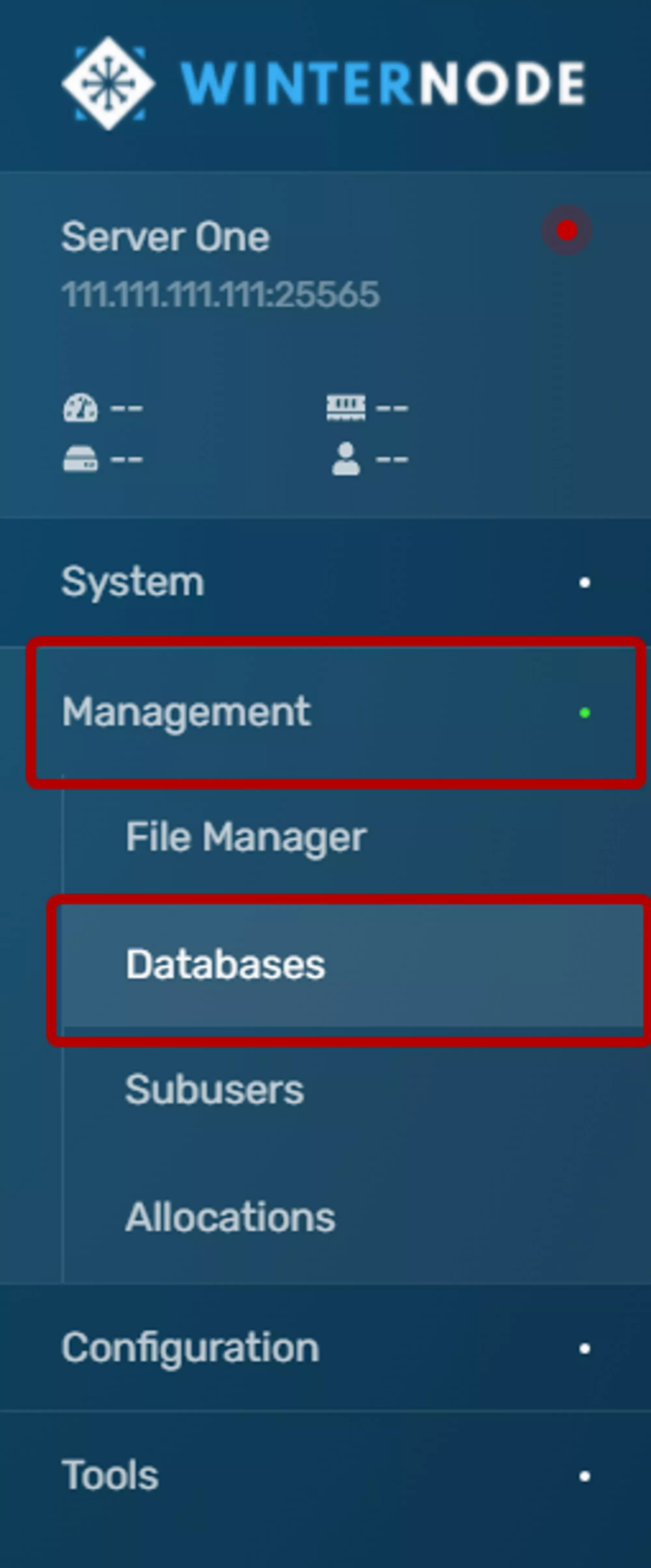
Managmentclick onDatabasesas shown in the example navigation bar to the right. - Click the
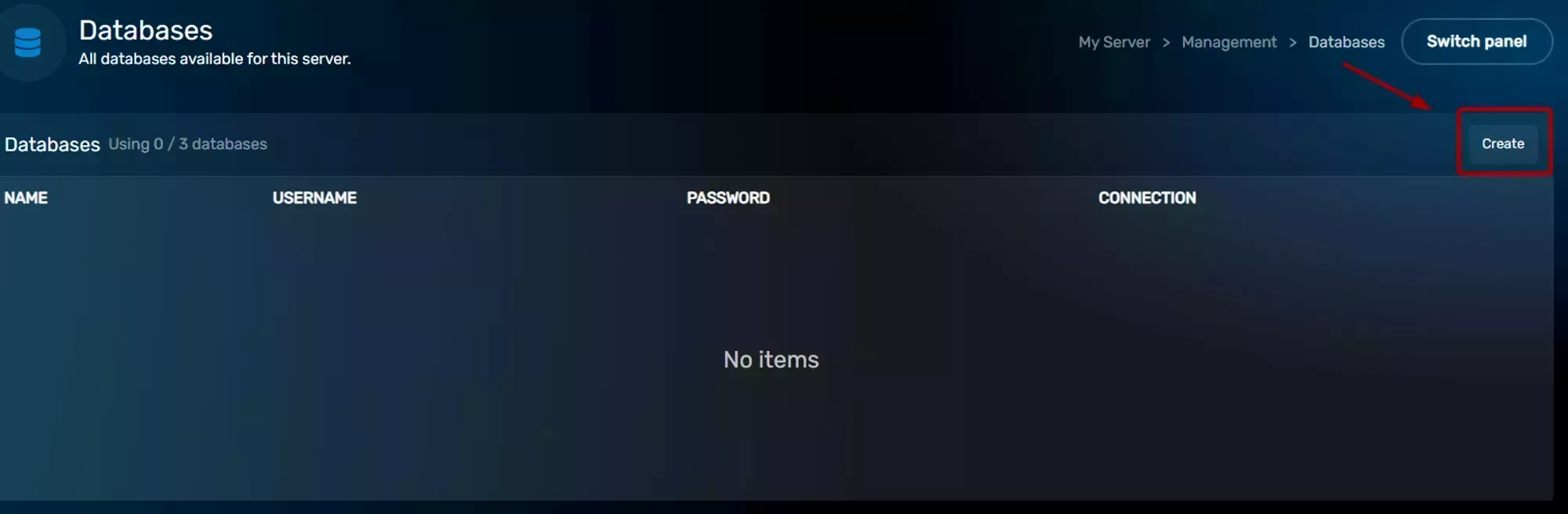
Createbutton on the top right side of theDatabasesbox.
 Loading...
- Click the
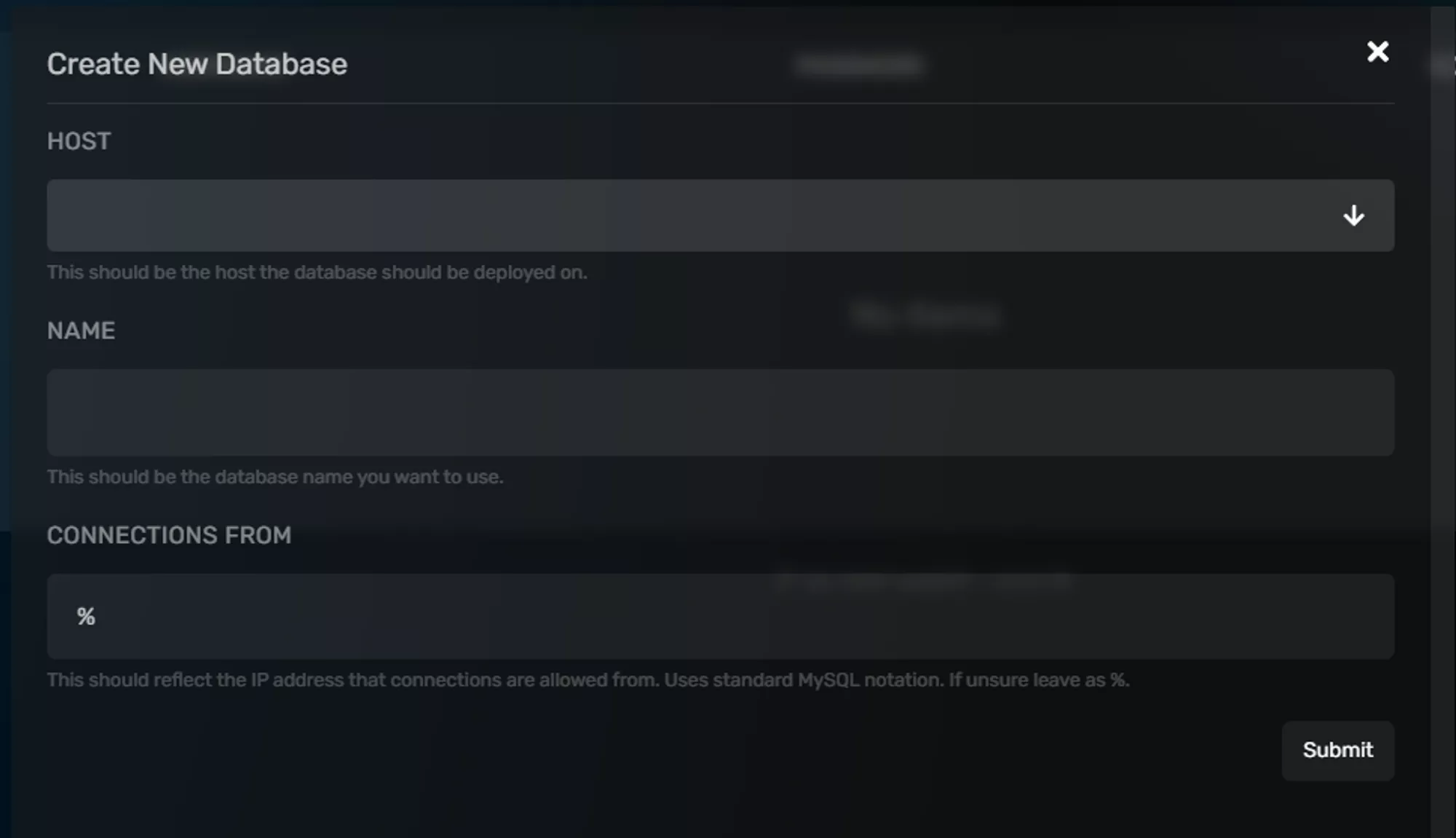
HOSTdropdown and select your server’s node, it should be the only option, and then fill out theNAMEField with a name for your database. You should leave theCONNECTIONS FROMField as is (%) unless you’re trying to limit what can connect to your database, which isn’t generally necessary.
 Loading...
- Then your database will be created and should appear on the list. It will have your database name, username, and connection address/port. To reveal the password click on the key icon and to reset it click on the button to the far right side of the database entry.
 Loading...
 Loading...