Connecting to Eco Servers
Eco has an in-game server list, which includes a "Favorites" and "Recent" list. Your players can directly join your server using your IP which will add it to their "recent" list. You can find instructions below on connecting directly to your server.
If your server is public, then players will also be able to find your server on the Server Browser.
Finding your server IP
Eco uses the Primary Allocation for connections, so you can find the IP address on the server list under the name, and on the server page on the top right corner under the name.
 Loading...
 Loading...
Adding a server
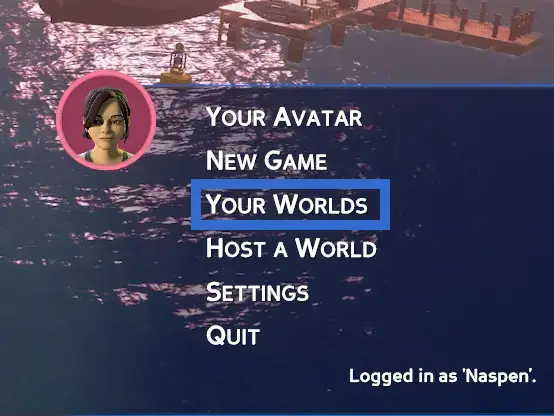
With the server IP in hand, you'll need to start the game and select the "Your Worlds" option from the game menu.
 Loading...
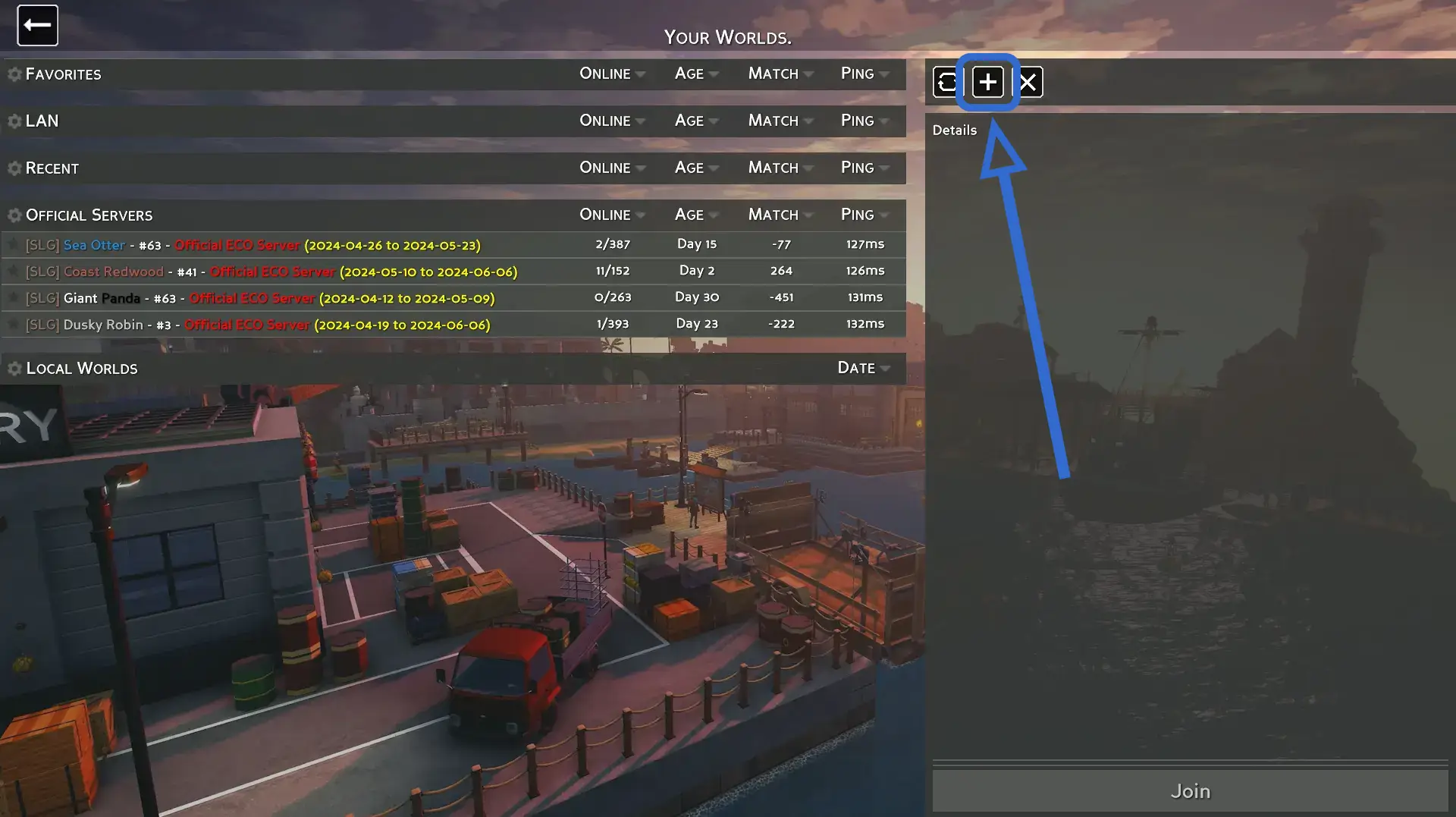
You should now see a screen that looks similar to the one on the right, where you can find a + icon on the top of the right side of the screen above the "Details" pane.
 Loading...
After clicking on the + button, you'll see a modal similar to the one to the right asking for the IP address. Enter the address here and click "join". You'll be connected to the server and it'll be added to the "Recent" list when you want to connect again.
 Loading...